Why Does a Transparent GIF Leave Trails?
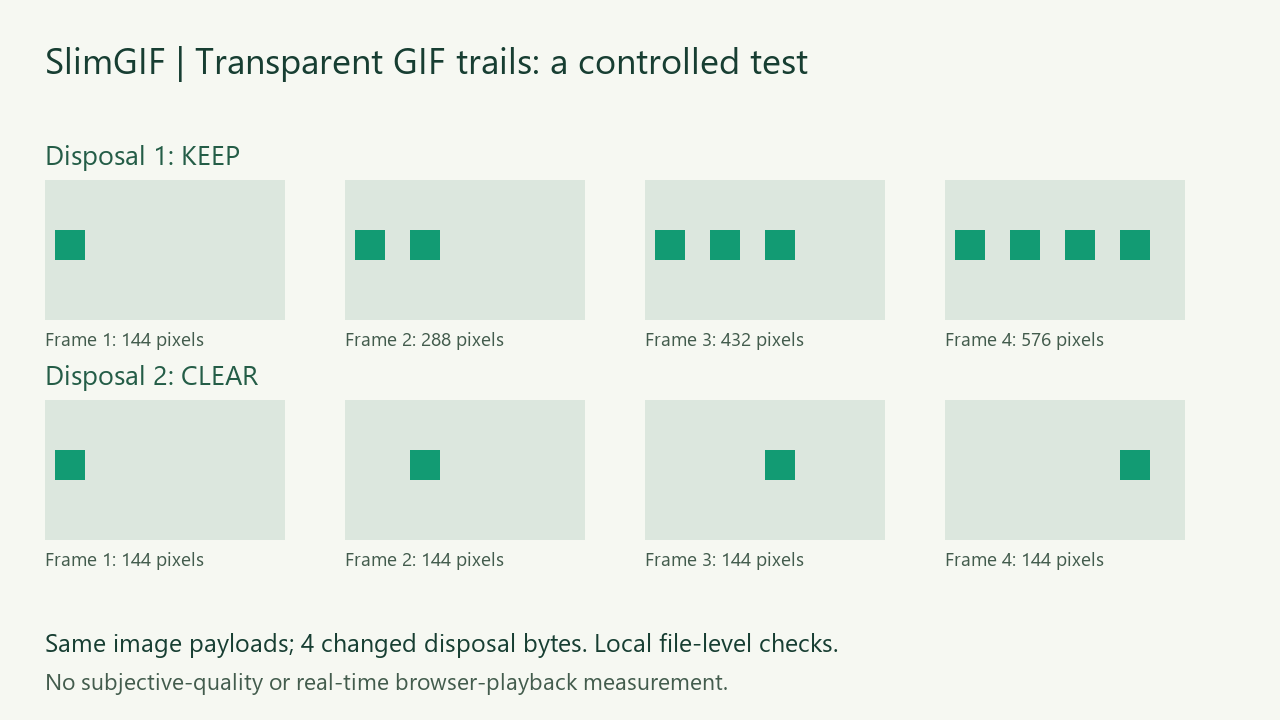
A transparent GIF pixel does not erase a previously drawn pixel. Frame disposal determines what remains on the canvas. Our two 1,505-byte inputs contain identical image-data payloads and differ in just four control bytes. Disposal 1 leaves 144, 288, 432 and 576 opaque pixels across four composed frames; disposal 2 leaves 144 in each. A GIF compressor cannot decide which motion you intended from file size alone.
Measured and published October 29, 2026, as a make-up for the missed October 28 article. Own CC0 synthetic files. Pixel, delay, loop and dimension checks were performed by decoding saved files locally. Subjective visual quality and real-time browser playback were not measured.
Same image data, different composed animation
We made four 96 × 56 transparent frames, each containing one 12 × 12 green square at a new horizontal position. Both files use the same global palette, transparent index 0, four full-canvas image descriptors, compressed image payloads, 100/150/200/250 ms stored delays and loop value 0. Only the disposal bits in four Graphic Control Extensions change, from 1 to 2. Per-frame compressed-payload SHA-256 values match; a byte comparison finds exactly four changed bytes. Their equal 1,505-byte lengths do not imply equal playback content.
| Synthetic input | Frame 1 | Frame 2 | Frame 3 | Frame 4 |
|---|---|---|---|---|
| Keep: disposal 1 | 144 | 288 | 432 | 576 |
| Clear: disposal 2 | 144 | 144 | 144 | 144 |
Why does transparency not erase the old square?
The GIF89a specification defines a transparent index as leaving the corresponding display pixel unchanged. Disposal 1 leaves the graphic in place. Disposal 2 restores the graphic area to the background before the next graphic is rendered; disposal 3 restores what was present before the graphic. This is established format behavior, not a SlimGIF invention.
In our specific transparent fixture, the tested decoders clear to a transparent canvas for disposal 2. That result is not a rule that every GIF background or every decoder must be transparent. Background palette values, transparency flags, frame rectangles and the decoding implementation matter. Changing every disposal field blindly can also remove content that is meant to persist.
What did this GIF compressor preserve?
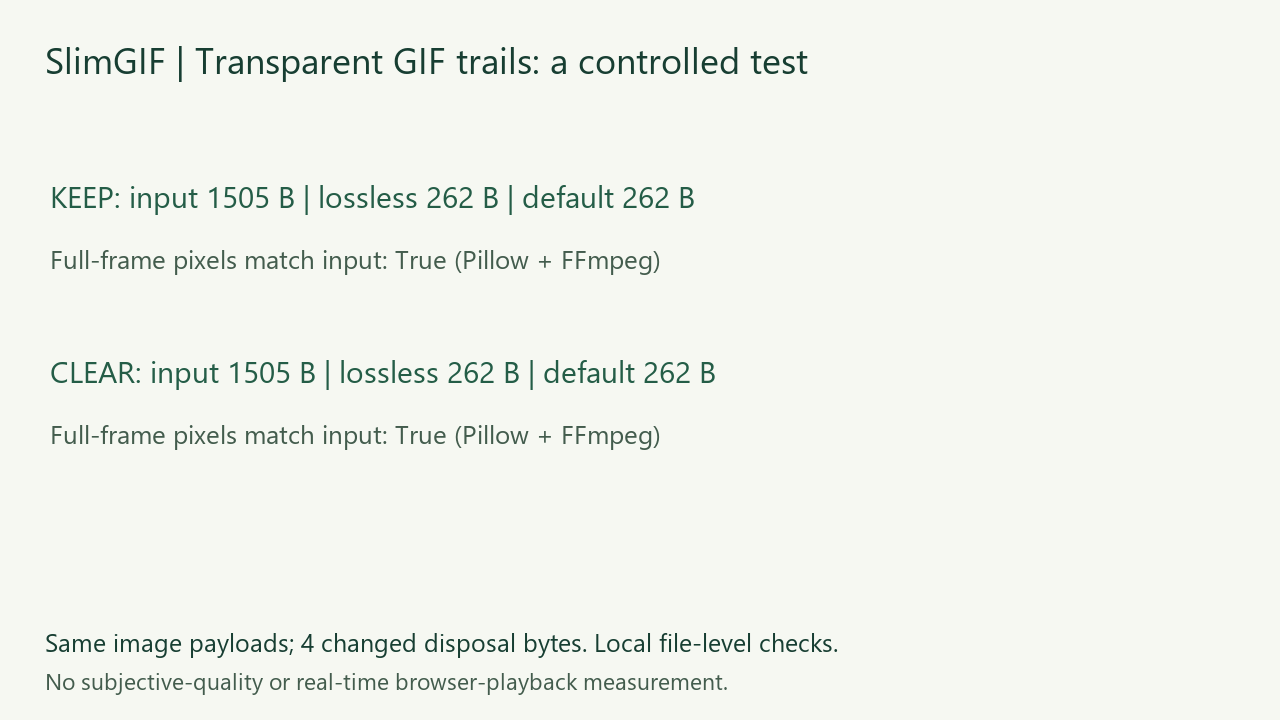
We used the engine shipped with SlimGIF, following the existing website command selection: -O1 for the keep input and -O2 for the transparent background-disposal input. Lossless runs add no palette reduction or lossy option. Default runs add --colors 128 --lossy=30. All runs keep dimensions at 100%. These local runs produced 262 bytes for each variant at either setting. The keep and clear outputs have different bytes despite having the same size.
Pillow and FFmpeg independently decoded all four saved frames of each input and output. Within each decoder, each lossless output matches its own input's complete RGBA sequence. Default and lossless outputs are byte-identical within each variant. Both variants retain their different composed behavior. Our local parser and Pillow checked 96 × 56 dimensions, four stored delays and loop value 0. We do not compare raw RGBA hashes between decoder implementations because invisible RGB channels can differ.
Separate actual website download
We also selected the clear input on the live SlimGIF page in the Codex in-app browser, with 128 Colors, lossy strength 30 and dimensions 100%. The actual downloaded GIF measured 262 bytes. It is byte-identical to the corrected local default clear output; after downloading, we decoded it locally to check the complete composed frames and stored timing. Analytics remained rejected. This is one website download, not four browser trials.

One failed test command we corrected
Our first local test forced -O1 on both inputs instead of reproducing the website's existing transparent-disposal branch. The clear candidate failed the full-frame comparison from the third frame onward. The actual website download used the existing -O2 branch and passed. We corrected the local harness and reran it. That failed local command is not evidence that the current website download failed, and neither result is a claim about every Gifsicle version or GIF.
How can I check a GIF with trails?
Keep the source and compare the same complete frames before and after compression. If the trail already exists in the source, reducing size is not evidence of repairing it. If only the saved output develops a trail, keep the original and reject that candidate. Inspect disposal, transparency and frame rectangles together; inspect every composed frame rather than only the first preview. Do not treat a successful byte reduction, preserved frame count or preserved delays as proof that the composed animation is unchanged.
A historical question from a GIF author describes transparent replacements leaving previous pixels visible. We use that as a real diagnostic question, not a claim of current search demand. Our downloadable pair answers it without reproducing the original post's code or answer.
Files, method and limits
- Keep: input, local lossless, local default
- Clear: input, local lossless, local default


Raw fields, hashes, decoder versions and per-frame checks · website-download verification · commands · fixture and verification source · local engine runner · requirements and CC0 notice.
This is one small, flat-color, constructed pair. It does not test subjective quality, real-time playback, disposal 3, other viewers, photographic animation or platform re-encoding. Exact input/output RGBA matches are local decoded-file evidence, not a guarantee about every browser.
Try the GIF compressor. A pale opaque rim is a separate issue: see white edges on a dark background. Changing stored frame count is also separate: see duplicate frames and timing.
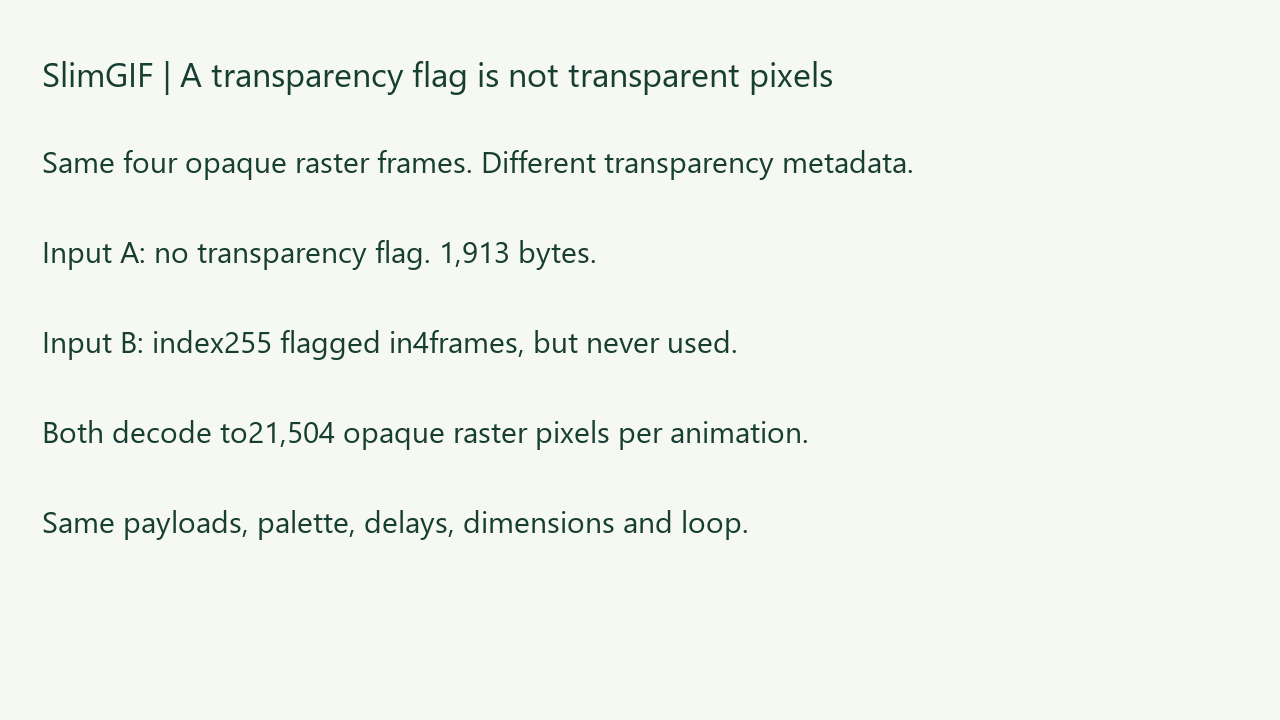
Does a transparency flag imply transparent pixels? See our unused-index saved-file control.