Does GIF Compression Remove Duplicate Frames?
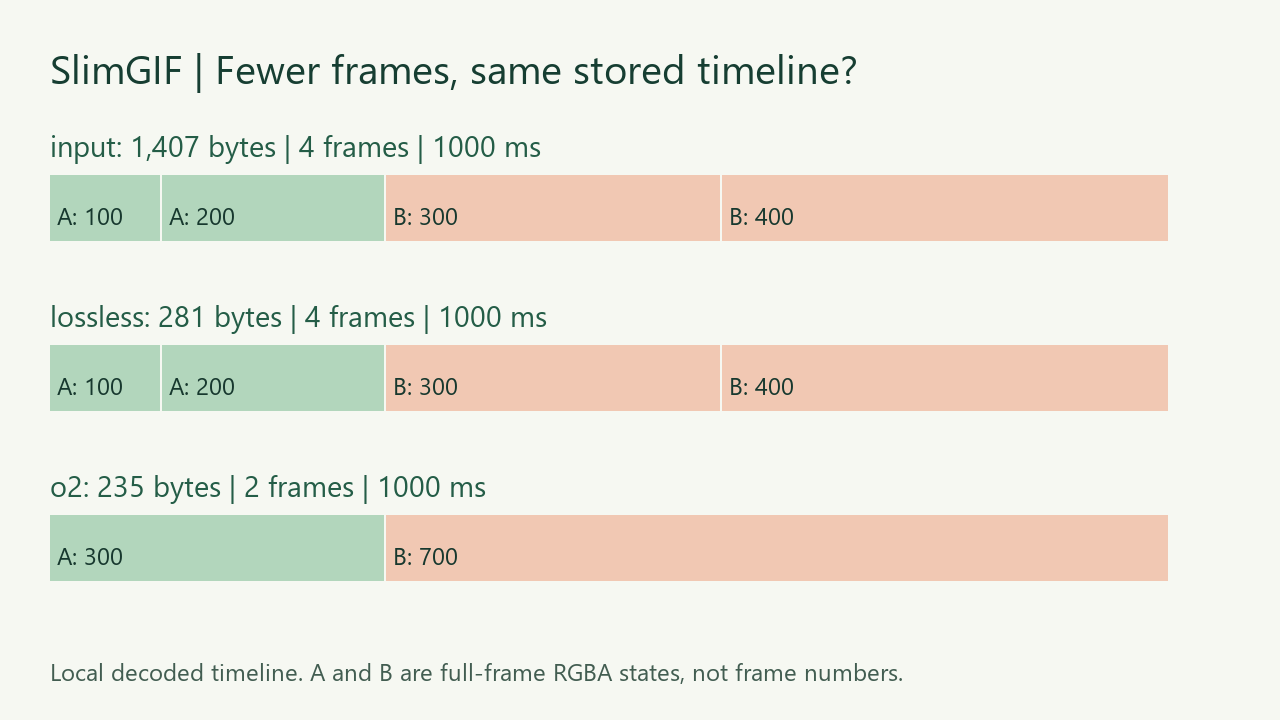
Not necessarily. Our four-frame GIF shrank from 1,407 to 281 bytes in SlimGIF, with all four stored frames kept. A separate local -O2 run produced 235 bytes and two frames, merging the repeated states into 300 ms and 700 ms holds. Both files describe the same one-second visible timeline in our local decoding checks. The two-frame file is an experiment, not a setting offered on this page's compressor.
Measured October 22, 2026 · original synthetic fixture · Colors 256, lossy 0, dimensions 100% for the actual browser download.
What happened to this file?
We built four full opaque 64 × 40 image blocks: A, A, B, B. Their stored delays are 100, 200, 300 and 400 milliseconds, with infinite looping. The two A frames decode to the same RGBA pixels, as do the two B frames. That gives A a 300 ms hold and B a 700 ms hold across one cycle.
| File | Exact bytes | Stored frames | Delays, ms |
|---|---|---|---|
| Original fixture | 1,407 | 4 | 100 / 200 / 300 / 400 |
| Actual SlimGIF download | 281 | 4 | 100 / 200 / 300 / 400 |
| Local -O2 experiment | 235 | 2 | 300 / 700 |
| Local -O3 experiment | 235 | 2 | 300 / 700 |


Every listed file decodes to a 64 × 40 canvas and a 1,000 ms stored cycle, with loop value 0 (infinite looping). The two local outputs match each other byte for byte. The 281-byte browser download matches our separately generated -O1 candidate byte for byte.
Why did the smaller browser download still have four frames?
This opaque fixture follows SlimGIF's normal -O1 path. The optimizer can encode changed rectangles more compactly while retaining image blocks and their delays. A smaller byte count therefore does not establish that duplicate frames were removed. We counted image frames in the saved file rather than inferring removal from the reduction percentage.
SlimGIF currently switches to -O2 for inputs detected as combining a transparent-background disposal operation with a transparency flag, following our transparent-frame correction. This opaque fixture does not meet that condition. The local -O2 and -O3 comparisons do not mean we changed the website's engine or exposed new controls today.
Does going from four frames to two make the GIF faster?
Not in this stored timeline. The first pair's 100 + 200 milliseconds becomes a 300 ms A frame; the second pair's 300 + 400 becomes a 700 ms B frame. Local decoding found the same complete RGBA state for each hold in both representations. Simply deleting frames without carrying over their delays would be a different operation.
Duplicate removal and delay merging are established techniques: EZGIF's optimizer explanation already describes them. Our contribution here is this downloadable input, the actual SlimGIF result, the separate engine runs, and the exact state-and-delay comparison. We did not run this fixture through competing tools or measure their outputs.
How did we check the timeline?
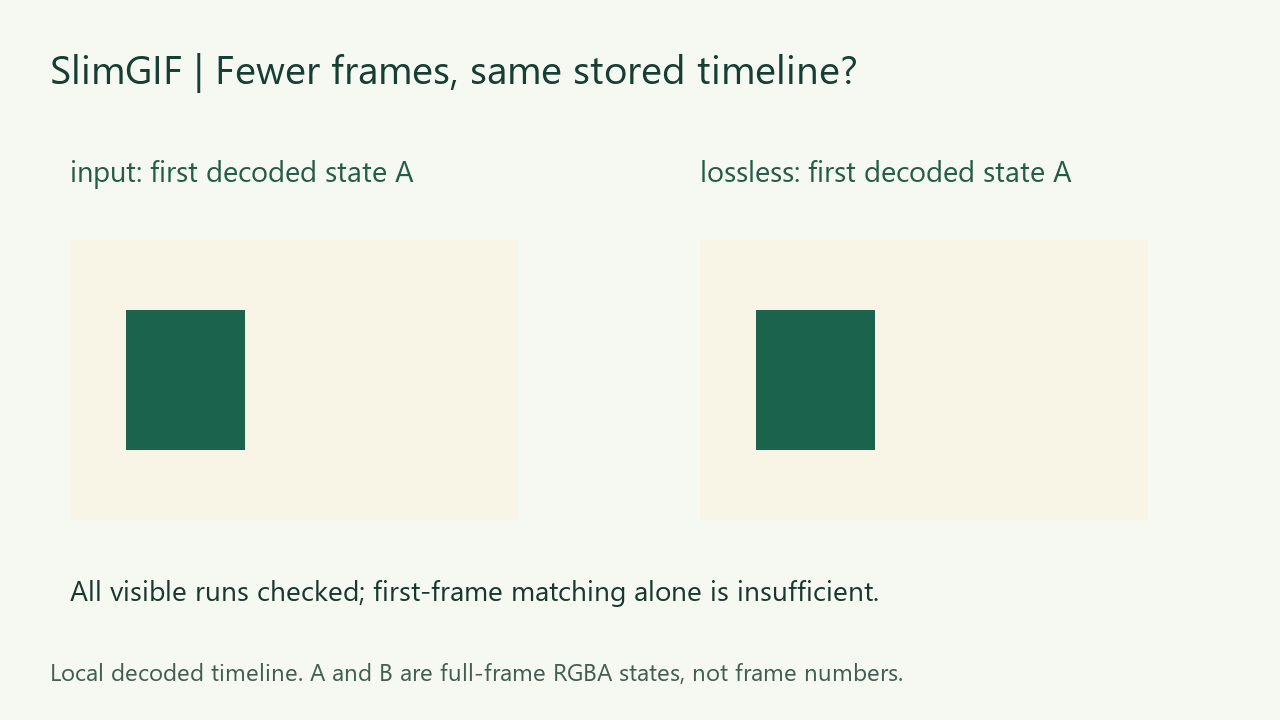
We saved the live website's offered download after selecting Lossless settings. We then decoded that saved file locally with Pillow and independently with FFmpeg. We recorded each composited RGBA frame, its delay, frame count, dimensions and the loop value. For the two-frame comparisons, we combined adjacent identical RGBA hashes into visible runs and compared their accumulated delays. A and B occupy the same runs in all four files.
Pillow measurements and file hashes and independent FFmpeg frame-and-delay checks are available. These are our local checks after downloading; the linked files let you repeat them. The fixture and figure source, O1 runner, O2/O3 runner and verification source include their local path and dependency requirements. The original fixture and our figures are CC0.
What does this test not prove?
The 1,126-byte saving in the browser run is the total result of re-encoding this file; we did not isolate how many bytes came from each optimization. This is an intentionally simple opaque fixture, not a general proof for transparent, disposal-heavy or short-delay animations. We did not measure wall-clock playback synchronization across browsers, subjective visual quality or similarity thresholds for nearly identical frames. Preserving a decoded timeline does not establish perceived quality for other GIFs.
To start with your own file, open the GIF compressor, save its result and compare the full cycle. For a broader workflow, see compressing without losing animation. If a download stays the same size, read why the original may be offered instead.