Can Extra Bytes After a GIF Trailer Make Compression Look Better?
Yes. Bytes after the parsed GIF trailer can increase the input file size without adding animation frames. In our controlled test, appending 4,234 inert bytes changes a 2,582-byte GIF into a 6,816-byte file. Both inputs produce identical 214-byte outputs with each of two local engine settings. The extra apparent saving comes from the suffix, not from a harder animation being compressed better.
Published November 10, 2026 · One synthetic control, two inputs, four local engine runs. Use this check when comparing a GIF compressor's before-and-after numbers. The experiment measures saved files; it does not establish privacy sanitization or browser playback behavior.
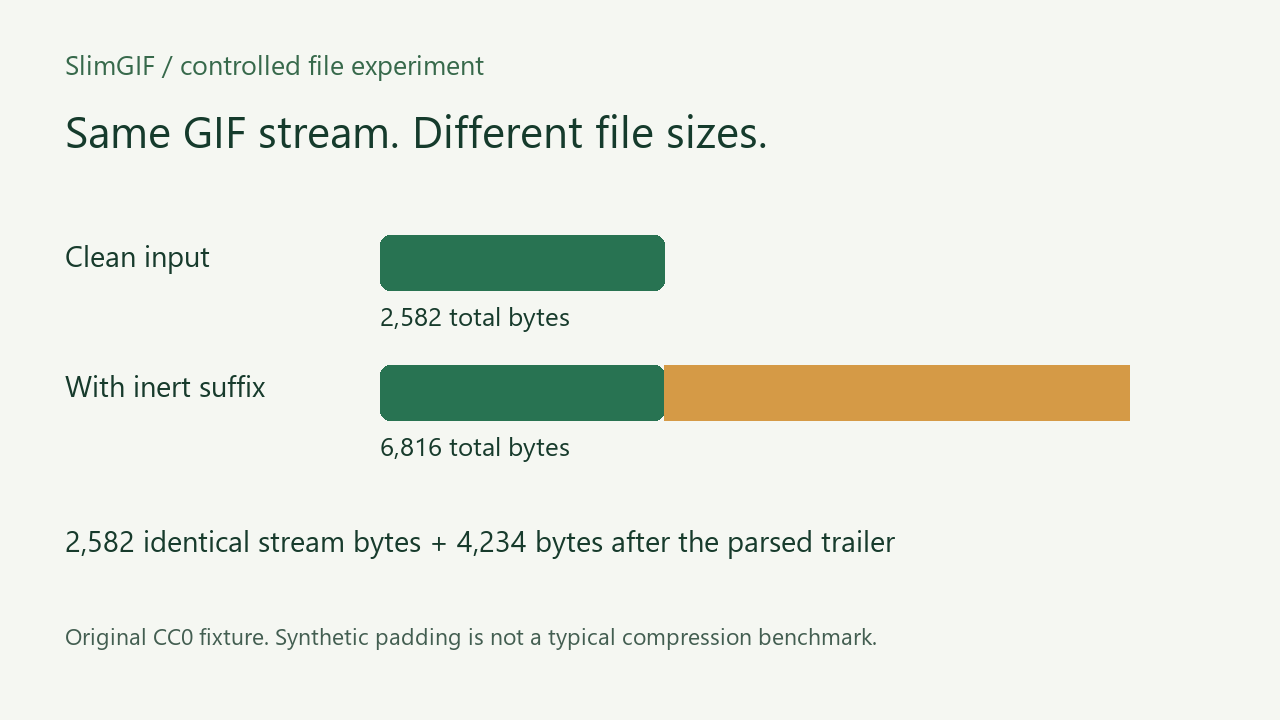
What changed in the input?
We created a 40 × 30 animation of three moving colored rectangles with Pillow, using frame delays of 100, 200 and 300 milliseconds and a raw NETSCAPE loop field of 2. We saved it without palette optimization. We then copied every byte and appended 73 repetitions of a 58-byte plain-text marker, totaling 4,234 bytes. The parsed trailer is at zero-based offset 2,581; the suffix starts at offset 2,582.
The marker is intentionally ordinary text and contains no personal information. The padded file is a GIF data stream plus extra bytes outside that stream. Calling it a larger file is accurate; calling the suffix additional image data would be misleading.
What did the compressor do?
| Input | Input bytes | Settings | Output bytes | Bytes after output trailer |
|---|---|---|---|---|
| Clean | 2,582 | 256 colors, lossy 0, -O1 | 214 | 0 |
| Suffix | 6,816 | 256 colors, lossy 0, -O1 | 214 | 0 |
| Clean | 2,582 | 128 colors, lossy 30, -O1 | 214 | 0 |
| Suffix | 6,816 | 128 colors, lossy 30, -O1 | 214 | 0 |
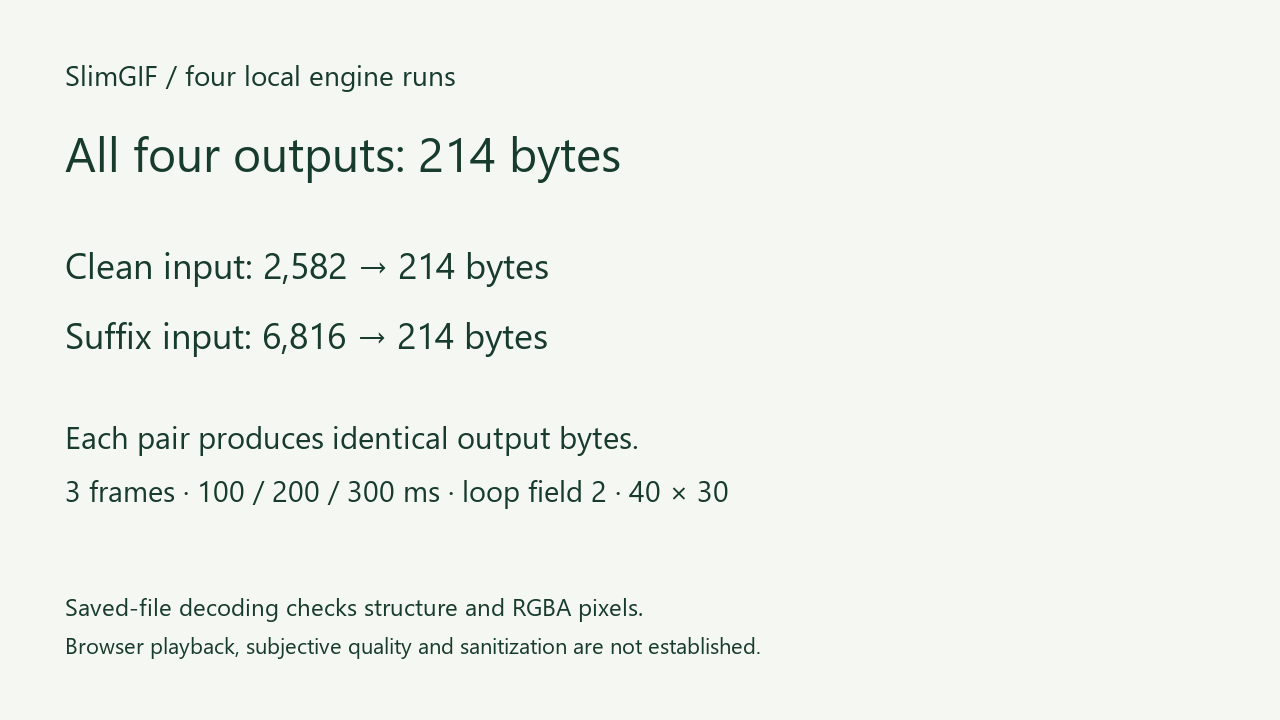
The clean input loses 2,368 bytes. The suffixed input loses 6,602 bytes. Their savings differ by exactly 4,234 bytes, the length of the added suffix. For each setting, both output files have the same SHA-256 hash. All four outputs are also byte-identical in this particular test.
Our fixture has only three colors and deliberately retains large input palettes. Palette and frame-storage optimization therefore account for other savings. This is a controlled explanation of inflated input size, not a realistic compression ratio or a promise about photographs.
Did the animation change?
We decoded all six saved GIFs locally with Pillow, then independently checked complete RGBA frames with FFmpeg. Each contains three frames at 40 × 30, with delays 100/200/300 ms and raw loop field 2. The complete RGBA frame hashes match across both inputs and all outputs. This is a file-decoding result, not a measurement of how many cycles a particular player displays.
The engine was the deployed Gifsicle 1.92 WebAssembly build, invoked locally through the linked Node adapter. These four outputs are not four actual browser downloads. We did not measure subjective visual quality, real-time playback, true mobile behavior or cross-browser compatibility.
Is this the same as deleting GIF comments?
No. A comment extension is a structured block inside the GIF stream. A suffix in this experiment is outside the stream, after its trailer. Our comment-retention test covers the first case; our sub-block framing test covers boundaries inside image data. Neither is the same variable as appending bytes after the trailer.
The GIF89a specification, section 26 defines the trailer as the end of the data stream. Find it by parsing block lengths, rather than deleting everything after the first semicolon byte: that byte value can occur in other data.
Does a trailing-data warning mean the GIF is safe or broken?
Neither conclusion follows from that warning alone. The local engine reported that trailing data was ignored, and these saved outputs omit our marker. This only establishes what happened to this controlled suffix with this build and these settings. It does not identify the purpose of unknown trailing content, validate arbitrary files or guarantee removal of private data.
A historical Mozilla report about an animated GIF stopping describes trailing data and network timing. It is a real English problem report and a useful reminder that file decoding and streamed playback are different checks. We did not reproduce or diagnose that historical browser bug here.
How can I check my saved file?
- Keep the original. Compare exact input and downloaded-output bytes, using one unit.
- Parse the GIF structure to locate the trailer and count any bytes after it. Do not blindly search for a byte value and truncate.
- Decode the saved output locally to compare frames, delays, raw loop fields and dimensions.
- Separately open the output in its intended player. A structural check cannot certify upload acceptance, playback or privacy.
Download the paired inputs and evidence
- clean-input.gif
- suffix-input.gif
- clean-lossless.gif
- suffix-lossless.gif
- clean-default.gif
- suffix-default.gif
- evidence.json
- engine-runs.json
- Independent FFmpeg checks
- fixture-and-verification.py
- engine-runner.cjs
- LICENSE.txt


Our November 10 Google English query used US region parameters and Web results; Google showed location Unknown. Ten returned URLs were archived over HTTP; only part of the dynamic browser review was completed. Existing pages already cover palette, frame, transparency and metadata optimization. We make no claim that all ten results or all three competitor sites lack an equivalent example. This page adds our paired files, exact suffix length, four engine runs and decoded frame hashes.
Open GIF Compressor · Compare exact bytes and size units.
Watch the narrated experiment
Original figures and synthesized English narration. Complete transcript · Download MP4. Hosted on SlimGIF.