Does GIF Compression Preserve Pixel Aspect Ratio?
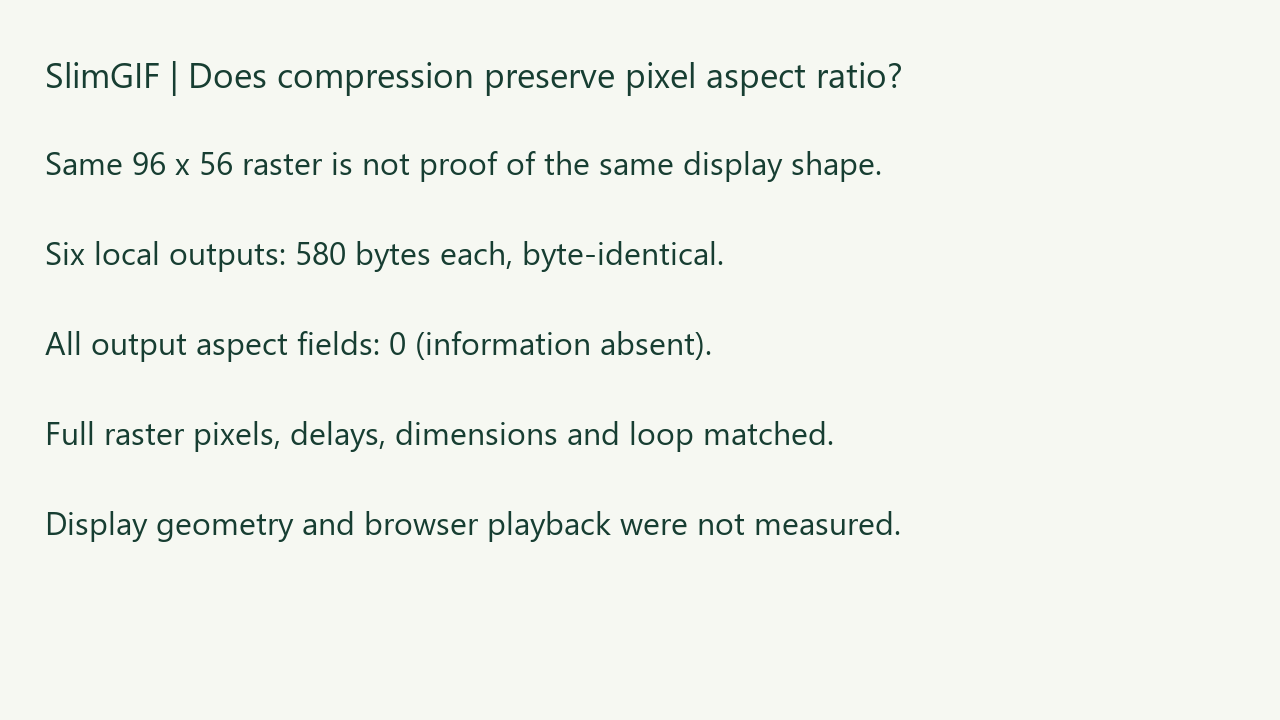
Not in our three-file local test: pixel-aspect fields 0, 49 and 113 all became 0 after compression. Each input was 1,913 bytes; six local runs produced byte-identical 580-byte GIFs. Complete raster pixels, stored delays, dimensions and loop matched, but the explicit 2:1 pixel-shape information did not survive. Same decoded pixels do not prove the same intended display shape.
Measured November 3, 2026. Own CC0 synthetic files and figures. These are local runs of SlimGIF's deployed engine, not actual website downloads. Pillow and FFmpeg checked saved-file raster frames locally. We did not measure browser rendering, real-time playback or subjective quality.
Three files, one changed header byte
We kept the four full 96 × 56 frames, palette, compressed image payloads, stored delays of 100/150/200/250 ms, disposal and loop value 0 fixed. Only byte offset 12, the Pixel Aspect Ratio field, differs. The files are the same length but not the same bytes.
In the GIF89a specification, Logical Screen Descriptor section 18, a nonzero field gives pixel width divided by height as (field + 15) / 64. Zero means no aspect information is given; it is not an explicit 1:1 declaration. Thus 49 describes square pixels, while 113 describes pixels twice as wide as tall. These definitions are background, not an original discovery.
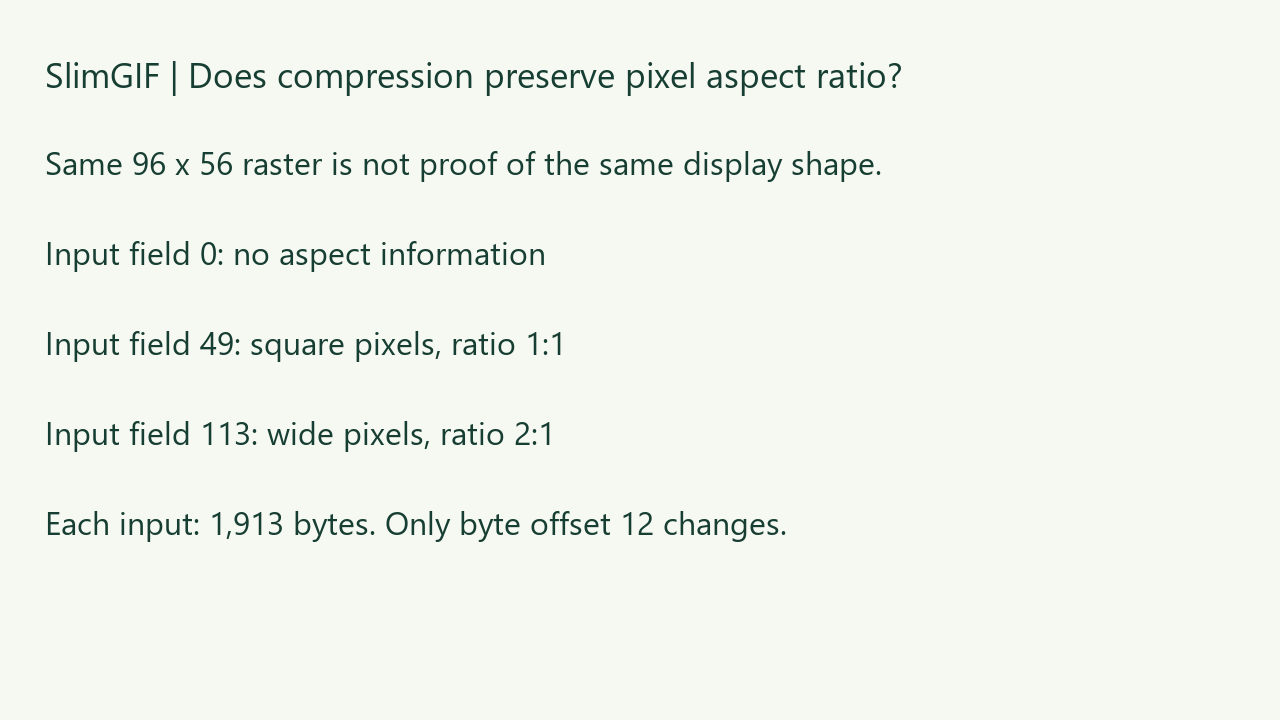
| Input aspect field | Input meaning | Input bytes | Lossless -O1 | Default -O1 / 128 colors / lossy 30 | Output aspect field |
|---|---|---|---|---|---|
| 0 | No information | 1,913 | 580 | 580 | 0 |
| 49 | 1:1 pixels | 1,913 | 580 | 580 | 0 |
| 113 | 2:1 pixels | 1,913 | 580 | 580 | 0 |
Matching pixels is a narrower claim than matching presentation
Pillow and FFmpeg decoded all nine files to matching complete RGBA raster frames. Stored delays, dimensions and looping matched. FFprobe reported sample_aspect_ratio 1:1 for the field-49 input and 2:1 for field 113; the six outputs had no reported sample aspect ratio. Inspecting the raw byte confirms that the original field was cleared.
Our raw RGBA comparison deliberately does not rescale the raster for display. Consequently it cannot certify what a player does with non-square pixels. A player might honor the field, ignore it or apply another layout rule. We did not measure any current browser's behavior. Do not infer that every application will stretch the output, or that this metadata loss is harmless everywhere.
Does deleting the aspect information save one byte?
No. The field is still present in the fixed-length Logical Screen Descriptor; its value changes to zero. Each input-to-output reduction is 1,333 bytes, but that is the result of complete re-encoding, palette reduction and frame representation changes. We cannot attribute those savings to clearing this header value. The three outputs are byte-identical.
Is pixel aspect ratio the same as resizing?
No. Resizing changes raster dimensions or pixels. Here all files retain a 96 × 56 logical canvas and matching complete raster frames. Pixel aspect is information about the shape of a pixel. The distinction matters when testing a claim such as “dimensions preserved.” It says nothing by itself about the intended display proportions.
What should I check after compression?
Keep the source. If it uses non-square pixels, inspect both the saved field and the application where you intend to display it. A saved-animation check should separate raw pixels, stored timing, looping and display interpretation. This file-specific result does not prove that all encoders or all metadata behave the same way.
Download the evidence
Unspecified input · 1:1 input · 2:1 input · 2:1 input, lossless local output · 2:1 input, default local output


Nine-file hashes, raw fields, frame hashes and FFprobe values · Six commands and engine hash · Fixture and verification source · Engine runner · Original synthetic source · CC0 and reproduction notes.

Current Google top-ten dynamic pages and official fresh keyword values were not obtained for this article. The contribution claimed here is this downloadable controlled test, not top-ten or worldwide exclusivity. Read the related palette-index control or try the GIF compressor.
Watch the narrated experiment
Original synthetic figures with synthesized English narration. Read the complete transcript or download the video. Hosted on SlimGIF; playback starts only when you choose. Local file checks and limitations are described above.